Produkt je vyradený!
| Produkt už nie je v našej ponuke. Kontaktujte, prosím, manažéra produktu: Henrich Sonnenschein-ID0 itsk@itsk.sk |
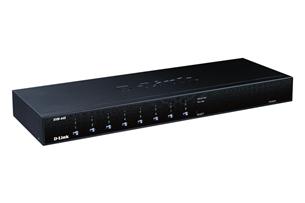
D-Link DKVM-440 8 Port PS2/USB KVM Switch
D-Link DKVM-440 8 Port PS2/USB KVM Switch
BLACK FRIDAY
| Výrobca |
D-LINK |
|
|---|---|---|
| Kód | ITK069185 | |
| Part No. | DKVM-440 | |
Záruka koncový zákazník: 24 Mesiacov
Záruka firma: 24 Mesiacov
Výrobca:
Kód: ITK069185
Part No.: DKVM-440
Záruka firma: 24 Mesiacov
Výrobca:
D-LINK
Kód: ITK069185
Part No.: DKVM-440
D-Link DKVM-440 8 Port PS2/USB KVM Switch
Obchod si vyhradzuje právo na zmenu ceny až po potvrdenie objednávky. Obrázok má len ilustračný charakter.
Diskusia (0)
- +Akcia
- +JARNÉ POMÔCKY
- +PC, NOTEBOOKY
- +MOBILY, TABLETY, HODINKY
- +PC KOMPONENTY
- +PERIFÉRIE
- +HERNÁ ZÓNA
- +ČIERNA TECHNIKA
- +MALÁ BIELA TECHNIKA
- +VEĽKÁ BIELA TECHNIKA
- +SOFTWARE, E-KNIHY
- +MICROSOFT SOFTVÉR
- +ŠPORT, ZDRAVIE
- +ZÁHRADA, HOBBY
- +NÁBYTOK
- +FOTOVOLTAIKA
Naposledy navštívené
| Kód | Názov produktu | Vaša cena |
|---|

Vážení zákazníci, vzhľadom na aktuálnu vyťaženosť prepravných spoločností, nevieme garantovať naskladnenie a doručenie tovaru na ďalší pracovný deň po objednaní. Viac info


Podrobnosti o produkte
Popis produktu:
The D-Link DKVM-440 8-Port KVM Switch is a high-end local remote management solution which allows you to control up to 512 PCs from a single console.
Versatile Management
Toggle between clients using the front panel buttons, keyboard hotkeys, or On-screen Display (OSD) menu. The on-screen menu allows you to label each channel with a descriptive name, providing clear and easy navigation. A convenient Auto-Scan function allows you to automatically toggle between multiple computers sequentially at preset intervals. The front panel LEDs assist with workstation/server status monitoring. Green LEDs indicate that systems are online, while separate red LEDs indicate when a particular system has been selected for management via console.
Convenient Installation
The sturdy metal chassis is mountable in a standard 19” rack. Daisy chain multiple KVM switches together up to three levels deep; cascaded units require no special configuration and automatically configure themselves as master or slave. Target workstations can be connected via keyboard/mouse or PS/2 using a custom combo cable. A PS/2 or USB keyboard is emulated on each terminal allowing all attached computers to successfully boot without keyboard errors. Hot-pluggable connections allow you to add devices to or remove them from the KVM switch without the need to shut it down.
Number of Computers Controlled
Selection Method
LEDs
PC Connectors
Console Ports
Firmware Upgrade Port
Auto-Scan Interval
Resolution
Operating Systems Supported
Power
Physical
Certifications
Obchodníci