ITK883065
Infolinka Po-Pi, 8:00 h - 16:00 h :
+421 37 6503 908
ATEN Standard Installation 2-in-1U Mounting Kit (for KN series) 2K-0007
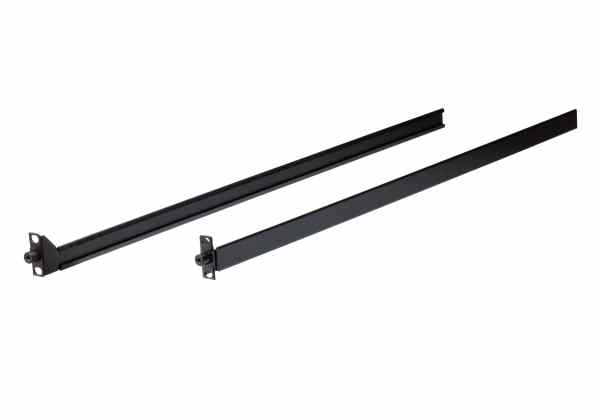
The ATEN 2-in-1U Mounting Kit allows you to combine the CL3800/CL3700/CL3100 LCD KVM Console with a rack KVM switch in 1U of space, which helps users save space for a more convenient and flexible working environment. To meet users’ needs, ATEN offers t
Čítať viacKód:
Part No.:
2K-0007
Záruka:
2 Roky
Výrobca
ATEN
DPH
23%
Vaša cena s DPH
88.94 €
Vaša cena bez DPH
72.31 €
bez DPH
Dostupnosť
Záruka
2 Roky
Objednať
Vypočítať splátky
Už od 2.07 € mesačne

Certifikovaný partner
Rýchle doručenie
Široký sortiment
Osobný odber tovaru


Máme Pečať spoľahlivosti od Národného informačného strediska Slovenskej republiky
Naša spoločnosť patrí medzi tie, ktoré boli hodnotené ako spoľahlivý parter verejných obstarávateľov. Pečať spoľahlivosti vyjadruje vysokú spokojnosť obstarávateľov. Pečať spoľahlivosti reprezentuje serióznosť a odbornosť v prístupe a jednaní k zákazníkom a realizácii služieb.
Popis produktu
To meet users’ needs, ATEN offers two options of 2-in-1U Mounting Kit: the 2K-0001 (rack KVM switch option) / 2K-0007 (KVM over IP switch option), a Standard Installation that calls for at least two people to rack mount, and the 2K-0002, an Easy Installation accessory enabling one person to rack mount, which streamlines the rack mounting process.
Combining LCD KVM Console, rack KVM switch with the 2-in-1U Mounting Kit, users can enjoy ideal workstations with work space efficiency, limited space is no more a problem!
Note: Please refer to Datasheet on the Support and Downloads page for more information on the applicable rack depth and the compatibility between LCD KVM consoles and KVM switches.
Package Contents
1x Standard Installation Rack Rail Set
2x Velcro Cable Management Straps
1x M4*6 Type I Screw Set (2 screws)
1x M3*8 Flathead Screw Set (9 screws)
1x Hind KVM Stabilizing Set (4 rack ears)
1x User Instructions